> ## Documentation Index
> Fetch the complete documentation index at: https://bruno-a6972042-mintlify-ws-multi-message-1777871287.mintlify.site/llms.txt
> Use this file to discover all available pages before exploring further.
# GraphQL Request
export const BrunoButton = ({collectionUrl, width = 160, height = 40, className = '', style = {}}) => {
const encodedUrl = encodeURIComponent(collectionUrl);
const buttonUrl = `https://fetch.usebruno.com?url=${encodedUrl}`;
return ;
};
Bruno provides the capability to send GraphQL requests, allowing you to interact with APIs that use the GraphQL query language.
## Create GraphQL request
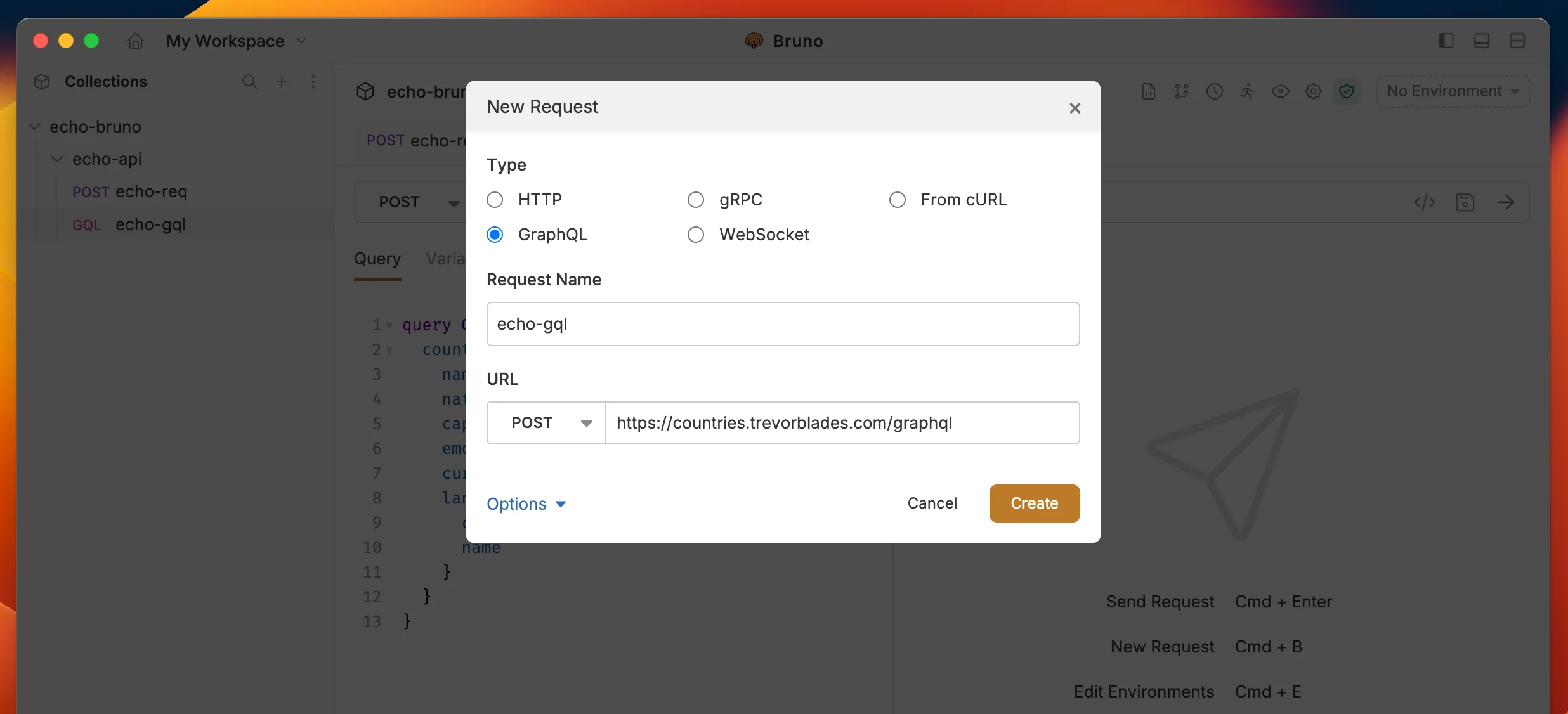
1. Create new request from collection context menu (...) and select **New Request**.
2. Select **GraphQL** as request type with:
* **URL**: The URL of the GraphQL endpoint.
* **Name**: The name of the request.
3. Click on **Create** button.
 ## GraphQL request with query
After creating the request:
* Go to **Query** section where you can write and execute all your GraphQL queries
* You can also use the **Variables** section to pass variables to your query
## GraphQL request with query
After creating the request:
* Go to **Query** section where you can write and execute all your GraphQL queries
* You can also use the **Variables** section to pass variables to your query
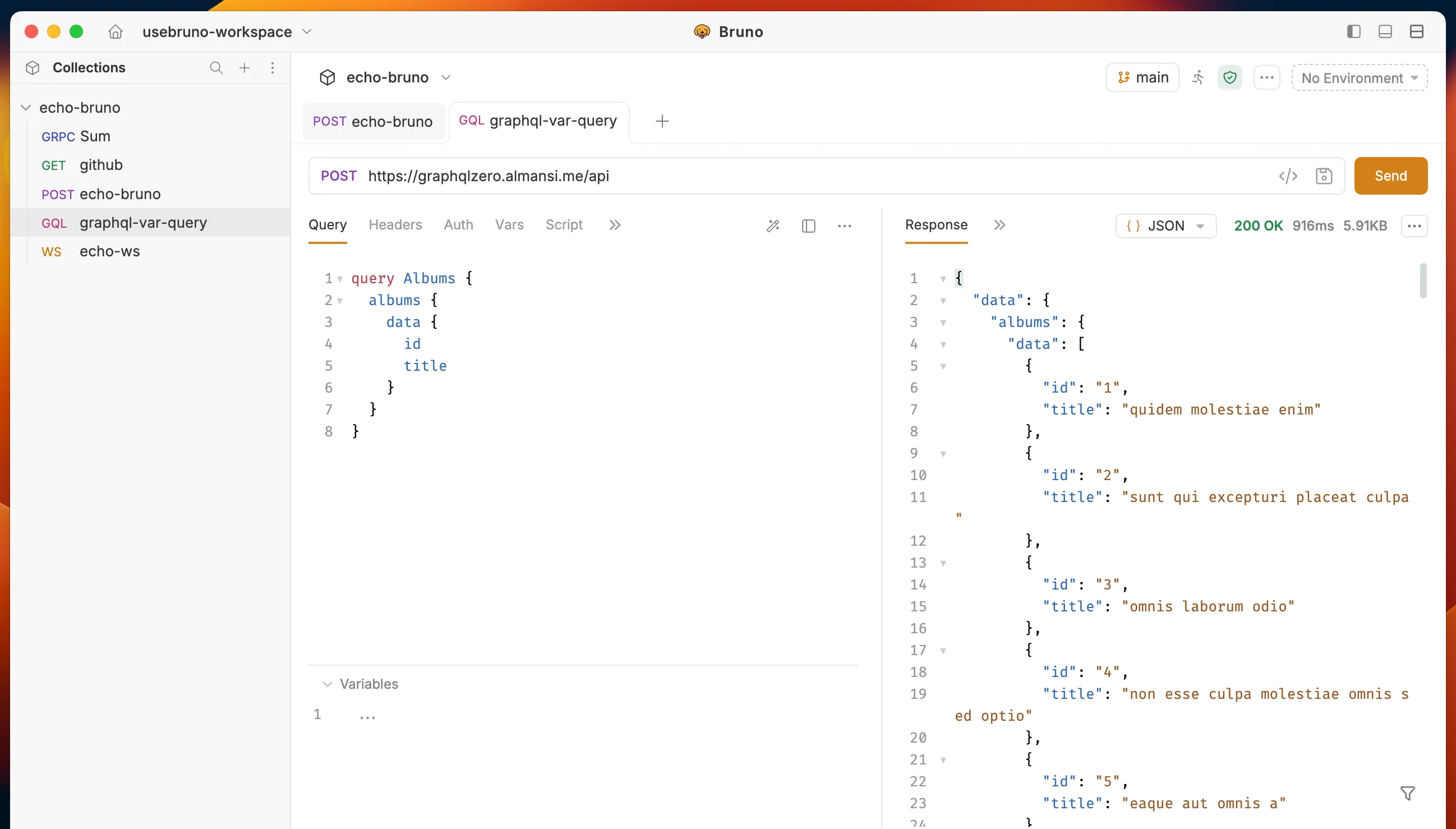 **Example Query:**
You can test this query using the below GraphQL API: `https://graphqlzero.almansi.me/api`
```graphql theme={null}
query Albums {
albums {
data {
id
title
}
}
}
```
## Query builder
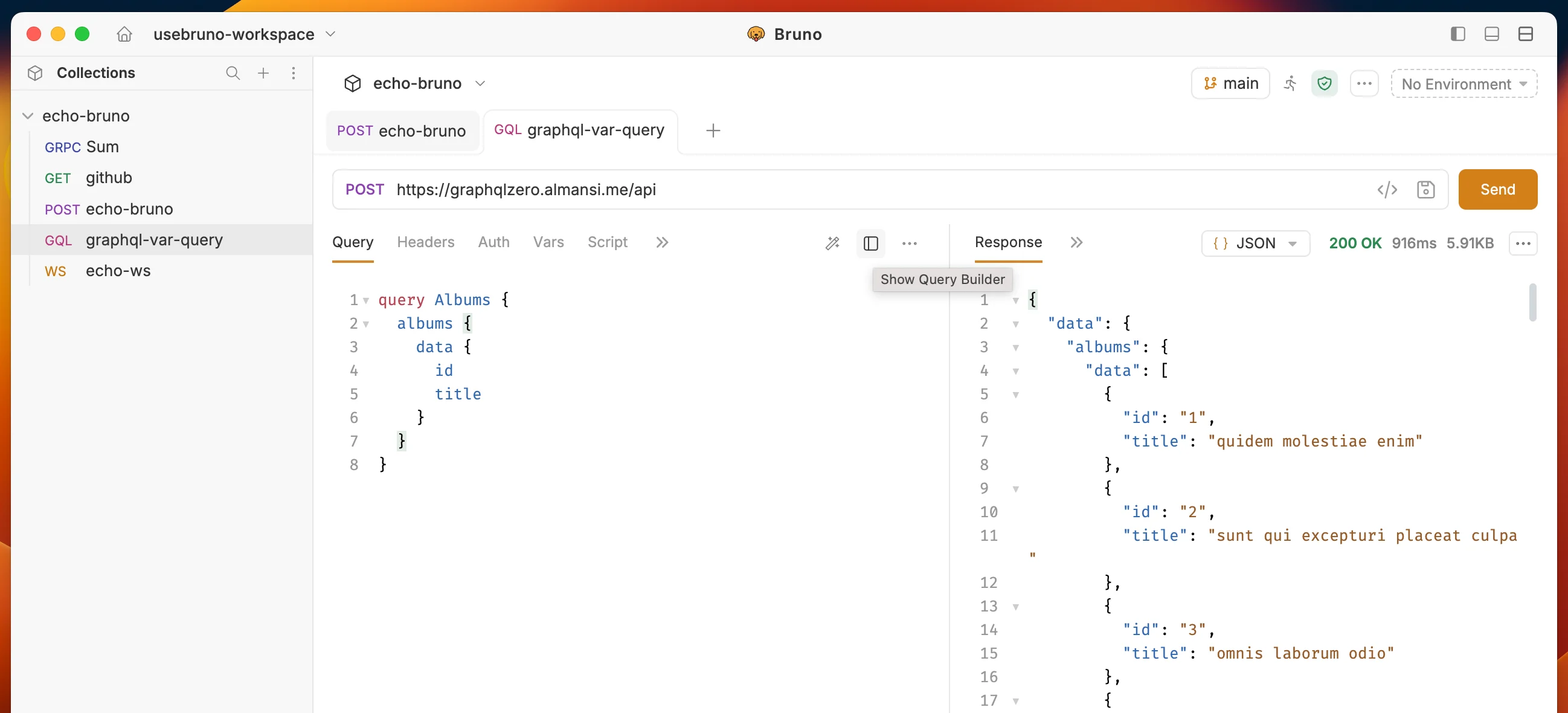
**Query builder** is a tool that helps you build your GraphQL queries easily. It allows you to select the fields you want to retrieve from the API and generate the query for you. Follow the below steps to use Query builder in Bruno.
1. Click on **query builder** icon next to prettify icon.
**Example Query:**
You can test this query using the below GraphQL API: `https://graphqlzero.almansi.me/api`
```graphql theme={null}
query Albums {
albums {
data {
id
title
}
}
}
```
## Query builder
**Query builder** is a tool that helps you build your GraphQL queries easily. It allows you to select the fields you want to retrieve from the API and generate the query for you. Follow the below steps to use Query builder in Bruno.
1. Click on **query builder** icon next to prettify icon.
 2. Select the fields you want to retrieve from the API and generate the query for you.
You can also use the **Search** input to search for the fields you want to retrieve from the API.
2. Select the fields you want to retrieve from the API and generate the query for you.
You can also use the **Search** input to search for the fields you want to retrieve from the API.
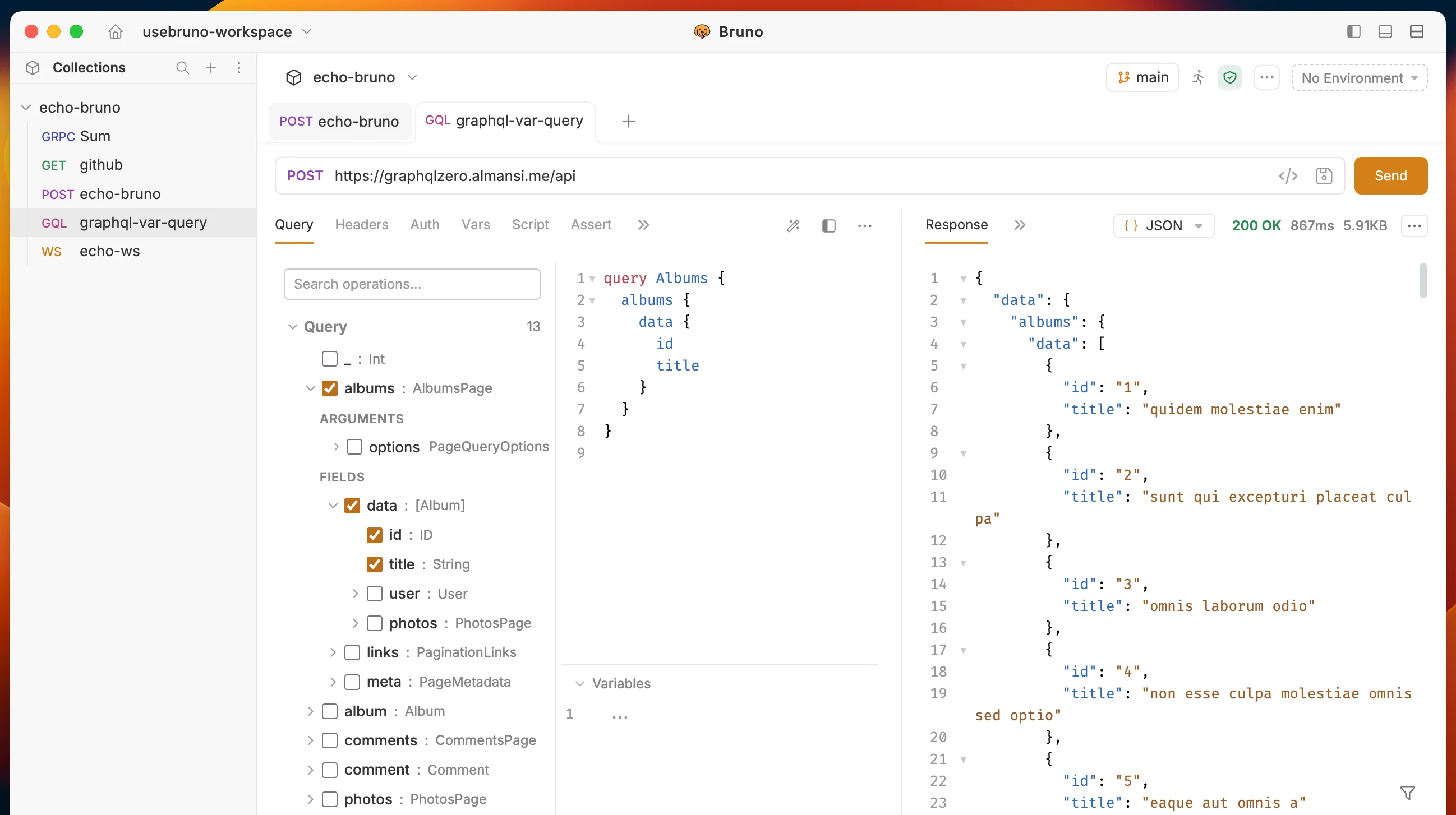 3. Click on **Send** button to execute the query.
### Query Builder with mutations
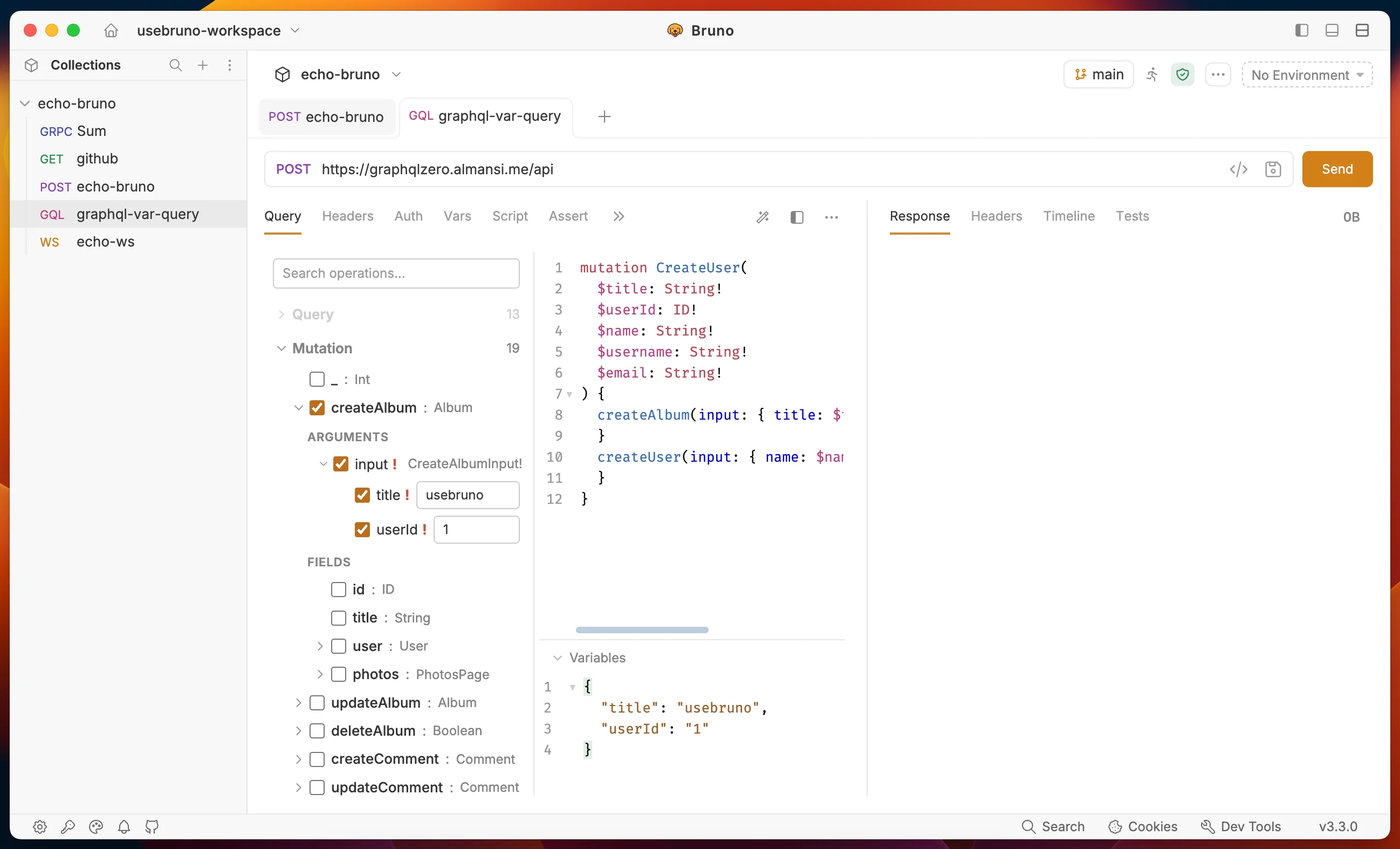
Mutation is use to modify data in the GraphQL API. Follow the below steps to use Mutation in Query builder.
1. Click on **Mutation** from query builder.
2. Select the fields you want to modify/update from the API and generate the query for you.
3. Execute the request by clicking on **Send** button.
3. Click on **Send** button to execute the query.
### Query Builder with mutations
Mutation is use to modify data in the GraphQL API. Follow the below steps to use Mutation in Query builder.
1. Click on **Mutation** from query builder.
2. Select the fields you want to modify/update from the API and generate the query for you.
3. Execute the request by clicking on **Send** button.
 ## Get Started with GraphQL APIs
Explore our sample REST and GraphQL collection to see practical examples and test GraphQL endpoints:
## Get Started with GraphQL APIs
Explore our sample REST and GraphQL collection to see practical examples and test GraphQL endpoints: