> ## Documentation Index
> Fetch the complete documentation index at: https://bruno-a6972042-mintlify-ws-multi-message-1777871287.mintlify.site/llms.txt
> Use this file to discover all available pages before exploring further.
# Request Variables
Request variables are variables that are scoped to a specific request. They are useful for storing variables that is used in a specific request.
## Creating a Request Variable
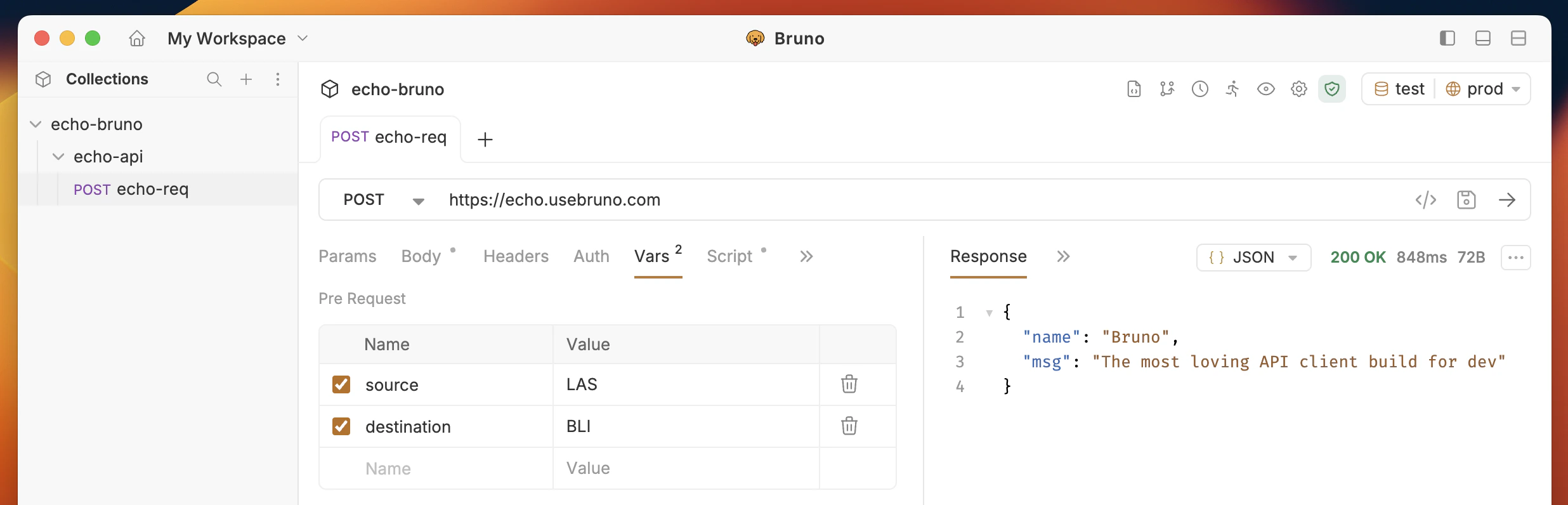
* Go to the Request
* Go to Vars Tab
* Add your variable name, value in the Pre Request Vars section
* Save your changes
 ## Using a Request Variable
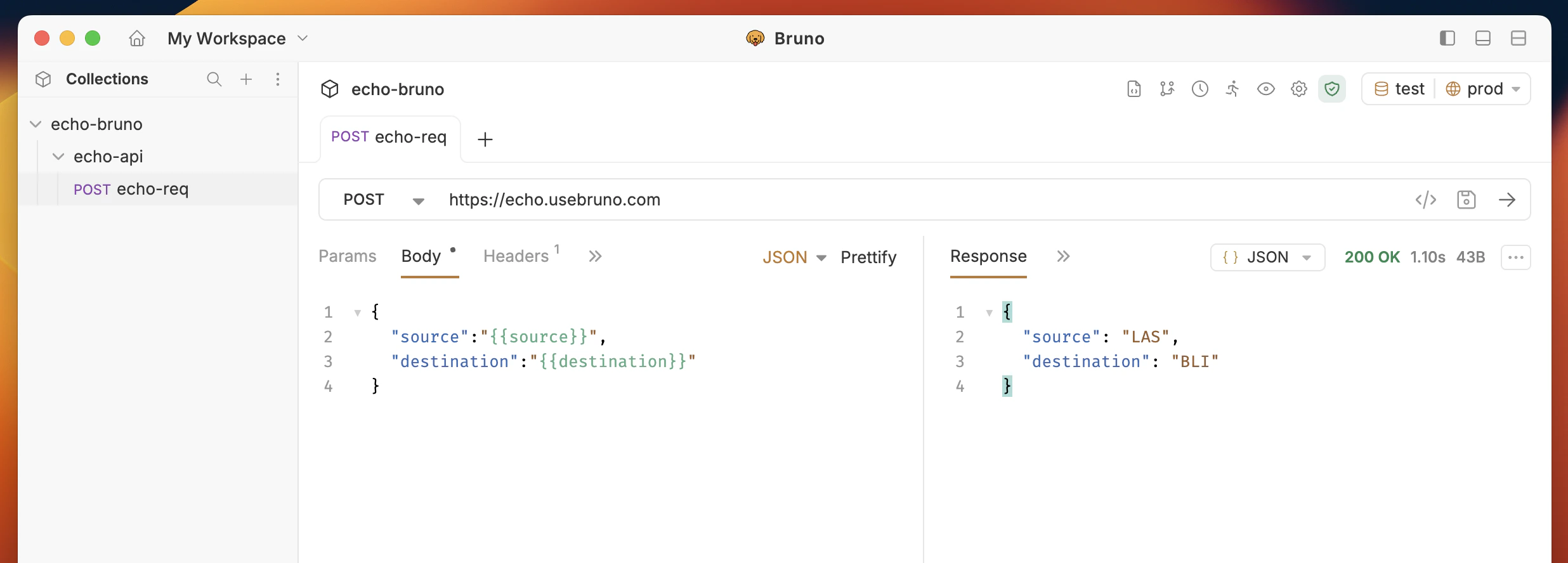
You can use the `{{varName}}` syntax to use a request variable in a request.
## Using a Request Variable
You can use the `{{varName}}` syntax to use a request variable in a request.
 #### Access Request Variable inside scripts
You can also use the `bru.getRequestVar()` function to get the value of a request variable and use it inside your scripts.
```javascript theme={null}
let source = bru.getRequestVar("source");
let destination = bru.getRequestVar("destination");
```
#### Access Request Variable inside scripts
You can also use the `bru.getRequestVar()` function to get the value of a request variable and use it inside your scripts.
```javascript theme={null}
let source = bru.getRequestVar("source");
let destination = bru.getRequestVar("destination");
```